As an Amazon Associate, vs-navi.online earns from qualifying purchases. Amazon links on this page are affiliate links.
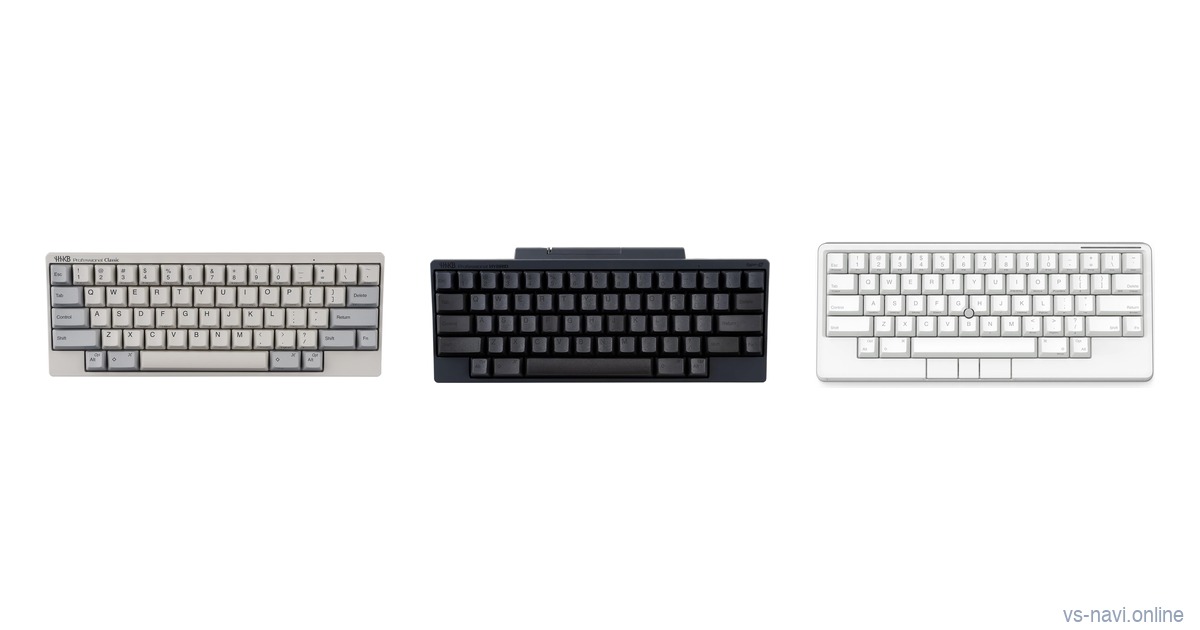
The Happy Hacking Keyboard is small on purpose. Sixty keys, no arrow cluster, Control where Caps Lock usually sits and a layout built so your hands barely move.
Once you have decided that layout suits you, the harder choice is which HHKB. The current range splits into a wired classic, a wireless model with silent switches and a newer keyboard with a pointing stick and gesture pads.
We compared three HHKB models sold by Amazon.com in November 2026: the HHKB Professional Classic, the HHKB Professional Hybrid Type-S and the HHKB Studio. This is a desk comparison of the listings, the product images and public ratings.
Our Picks: Which HHKB for Which Typist
- For the classic feel at a lower price: Professional Classic, the least expensive of the three when we checked. Topre switches over a USB-C cable, with nothing extra.
- For quiet typing on several devices: Professional Hybrid Type-S. Silent Topre switches with Bluetooth for up to four devices plus USB-C.
- For a keyboard that replaces the mouse: HHKB Studio. A pointing stick, three mouse buttons and four gesture pads on a hot-swappable mechanical board.
Check price on Amazon →Amazon affiliate link
Topre or Mechanical: The Switch Decides
The Classic and the Hybrid Type-S use Topre electrostatic capacitive switches. A rubber dome sits over a spring and the key registers by a change in capacitance rather than metal contacts, which gives the rounded, cushioned feel HHKB is known for.
Type-S is the silent version of that switch. The listings describe it as reducing key noise while keeping the same tactility, which matters in shared offices and on video calls.
The Studio is different. Its listing describes silent linear mechanical switches in a hot-swappable board, so you can pull the switches and fit others. That opens the door to customization but it does not feel like Topre.
If you are still choosing between HHKB and other Japanese keyboards, our HHKB vs Realforce vs Filco comparison covers that question.
HHKB and PFU in Japan
All three listings name PFU Limited, a Japanese company, as the manufacturer. Product images for the Classic and the Hybrid Type-S carry a Made in Japan mark.
PFU’s listings pitch the HHKB at programming and long-form writing, where a compact layout means less hand movement over a long day.
Every model here keeps the same core ideas: 60 keys, DIP switches on the back to change modes for different operating systems and sculpted PBT keycaps with dye-sublimated legends.
HHKB Professional Classic
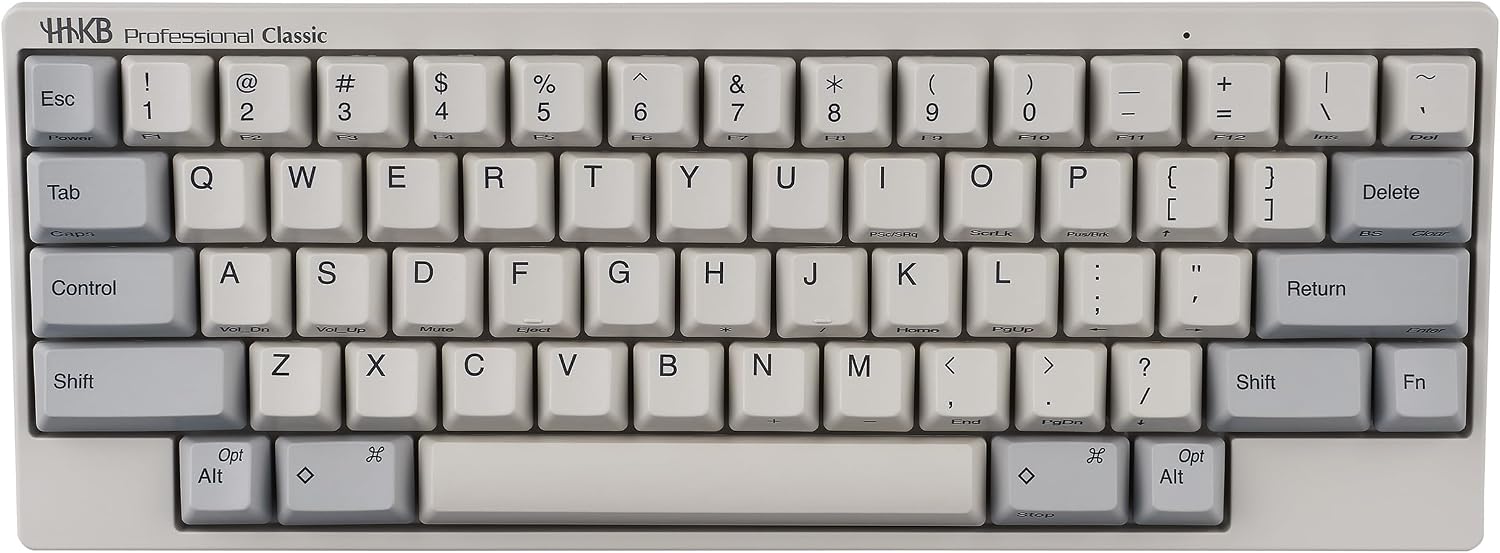
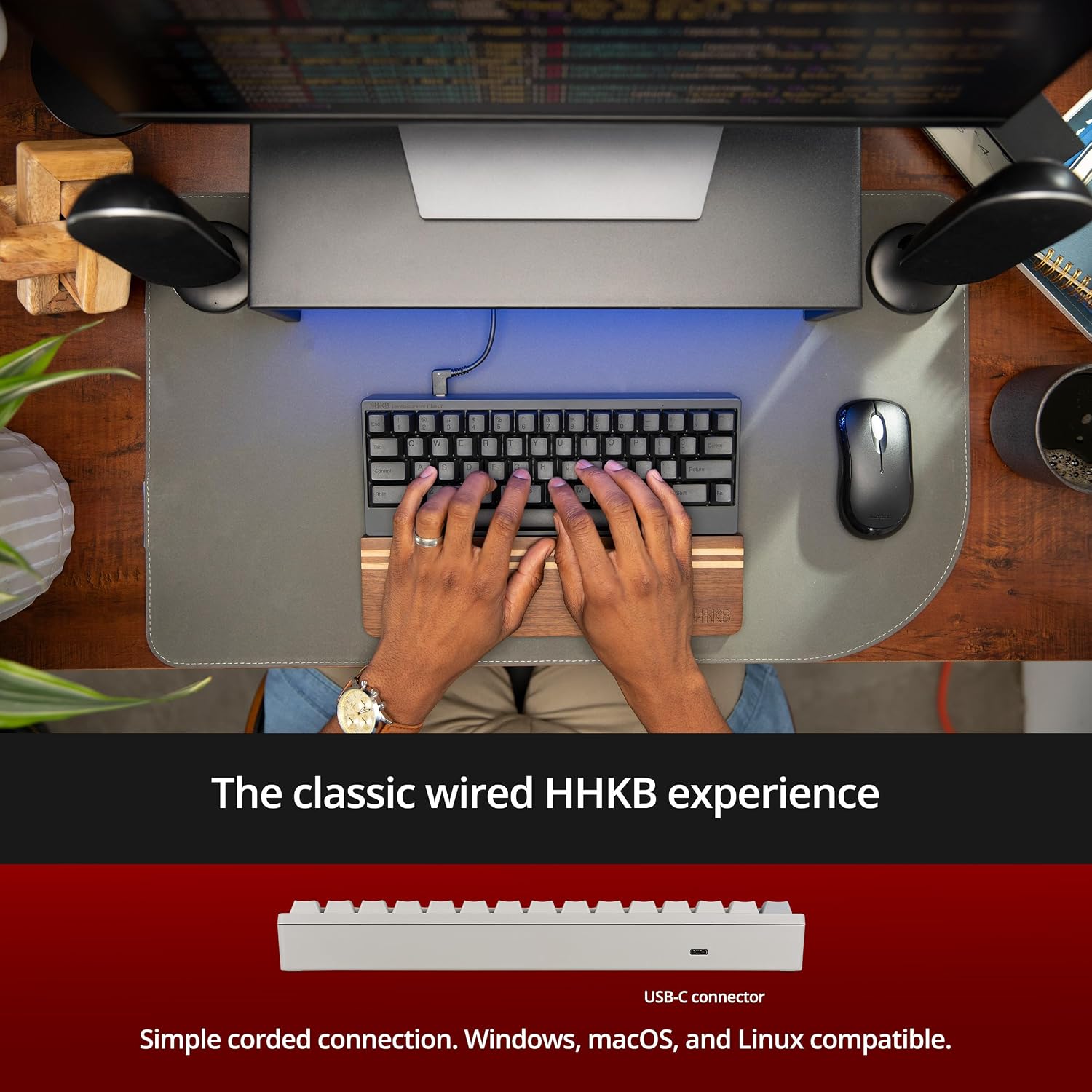
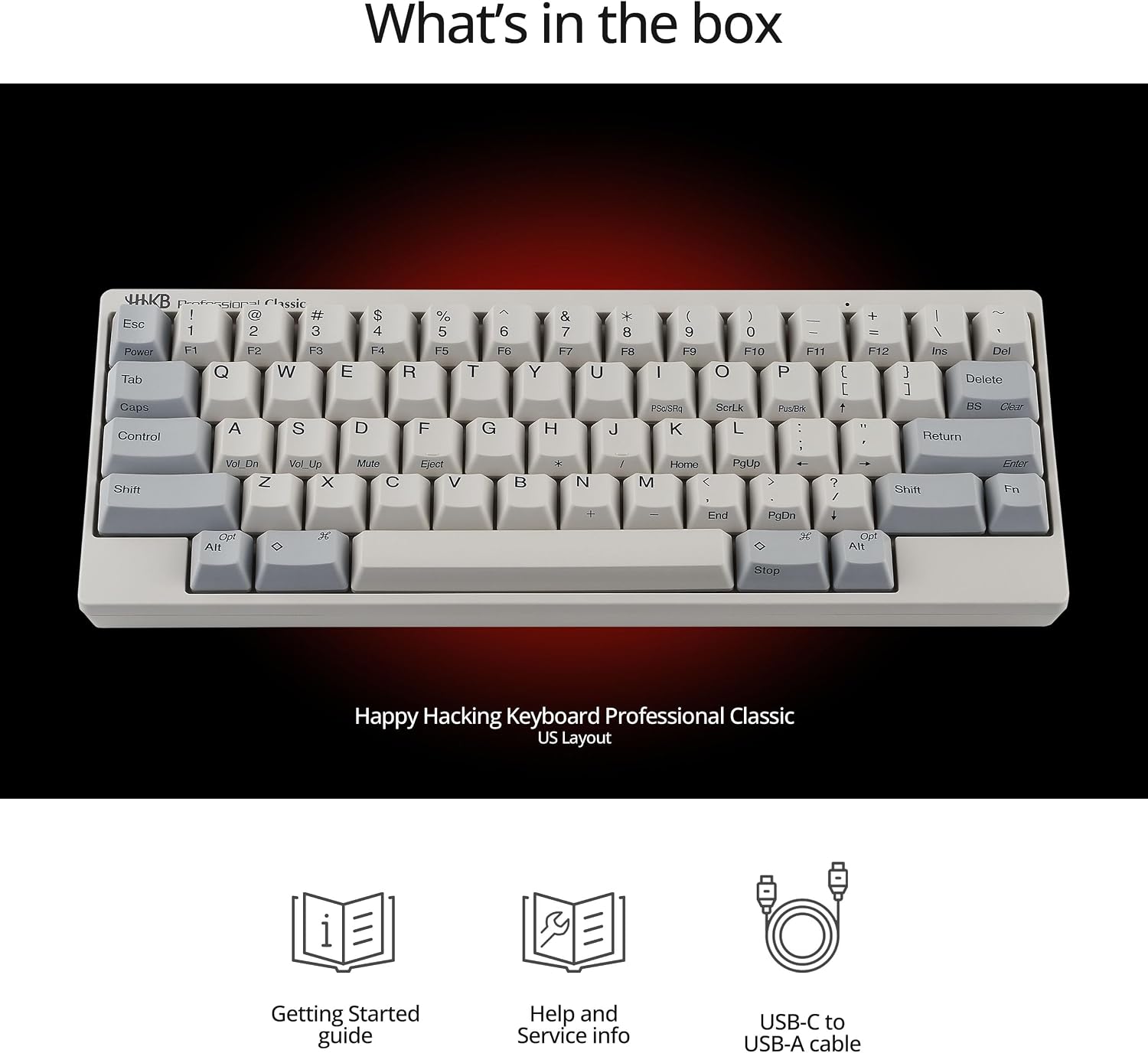
The Professional Classic is the simplest HHKB. The listing describes Topre electrostatic capacitive switches, the compact 60-key layout and a USB-C connection, with DIP switches to change modes for Windows, macOS and other systems.
The keycaps are shine-resistant PBT with dye-sublimated legends. The item details give a weight of about 1.2 pounds and the box contents shown in the images include a USB-C to USB-A cable.
It held 4.5 out of 5 from about 40 ratings, sold by Amazon.com. Amazon’s AI summary of reviews says customers praise the materials and the tactile feel of the Topre switches. The same summary says the learning curve is mixed and that views on value are split.
The downside is that it is wired only and the switches are the standard, louder Topre. It suits people who type at one desk and want the HHKB feel with nothing else attached.
Check price on Amazon →Amazon affiliate link
HHKB Professional Hybrid Type-S
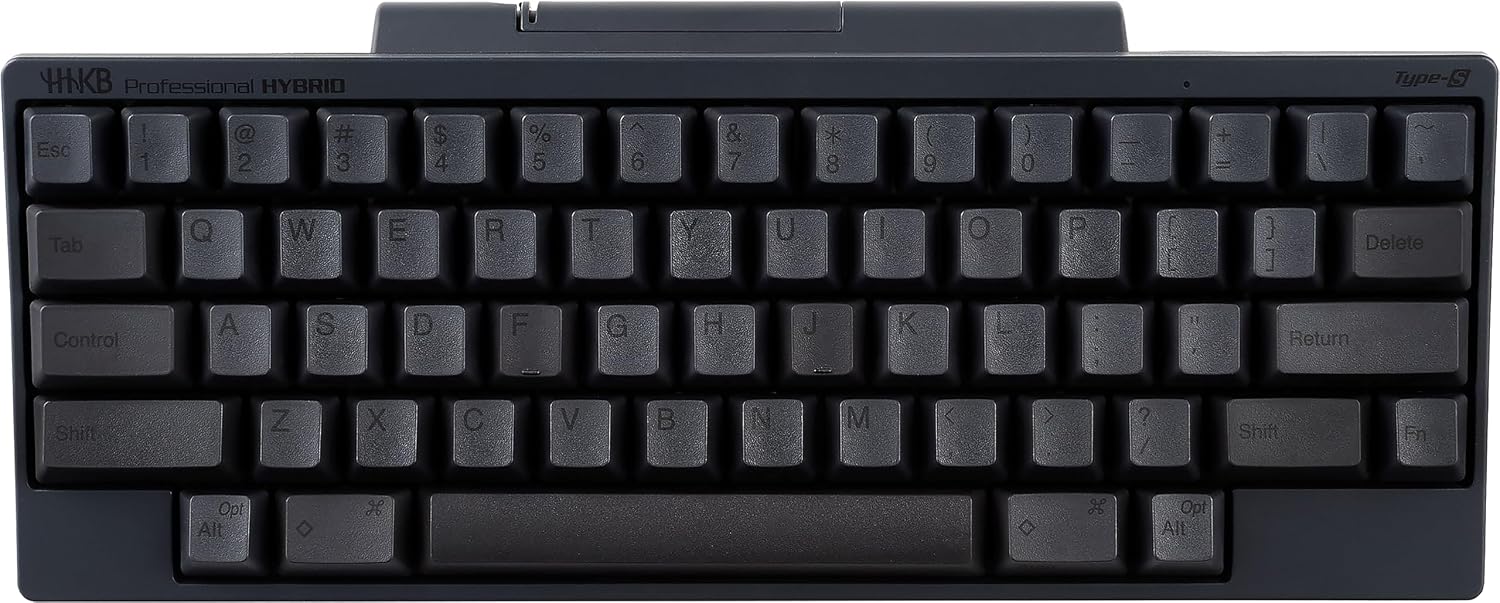
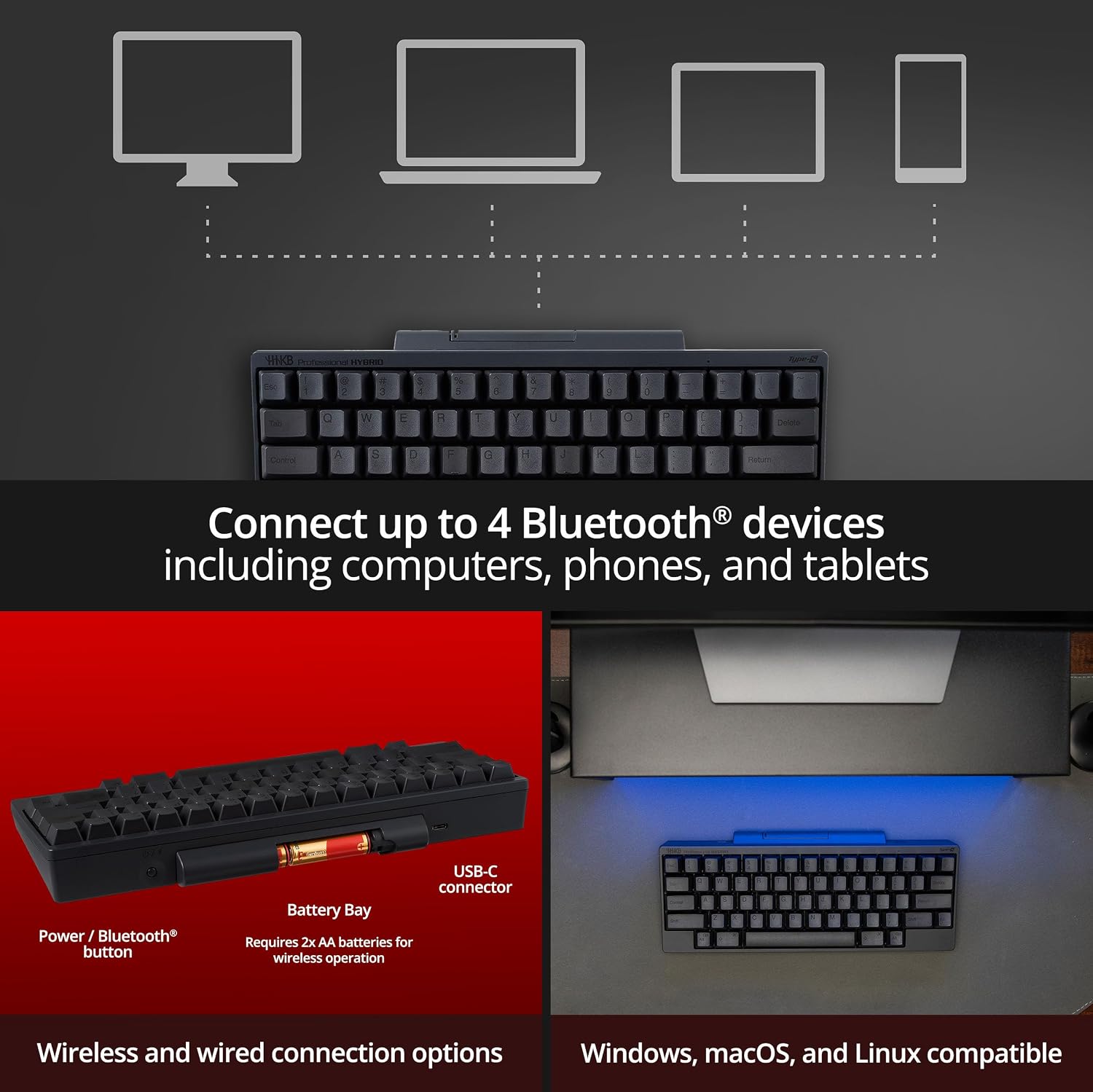
The Hybrid Type-S adds wireless and silence. The listing describes silent Topre switches, Bluetooth multi-pairing that switches between up to four computers, tablets or phones with keyboard shortcuts and a USB-C cable connection.
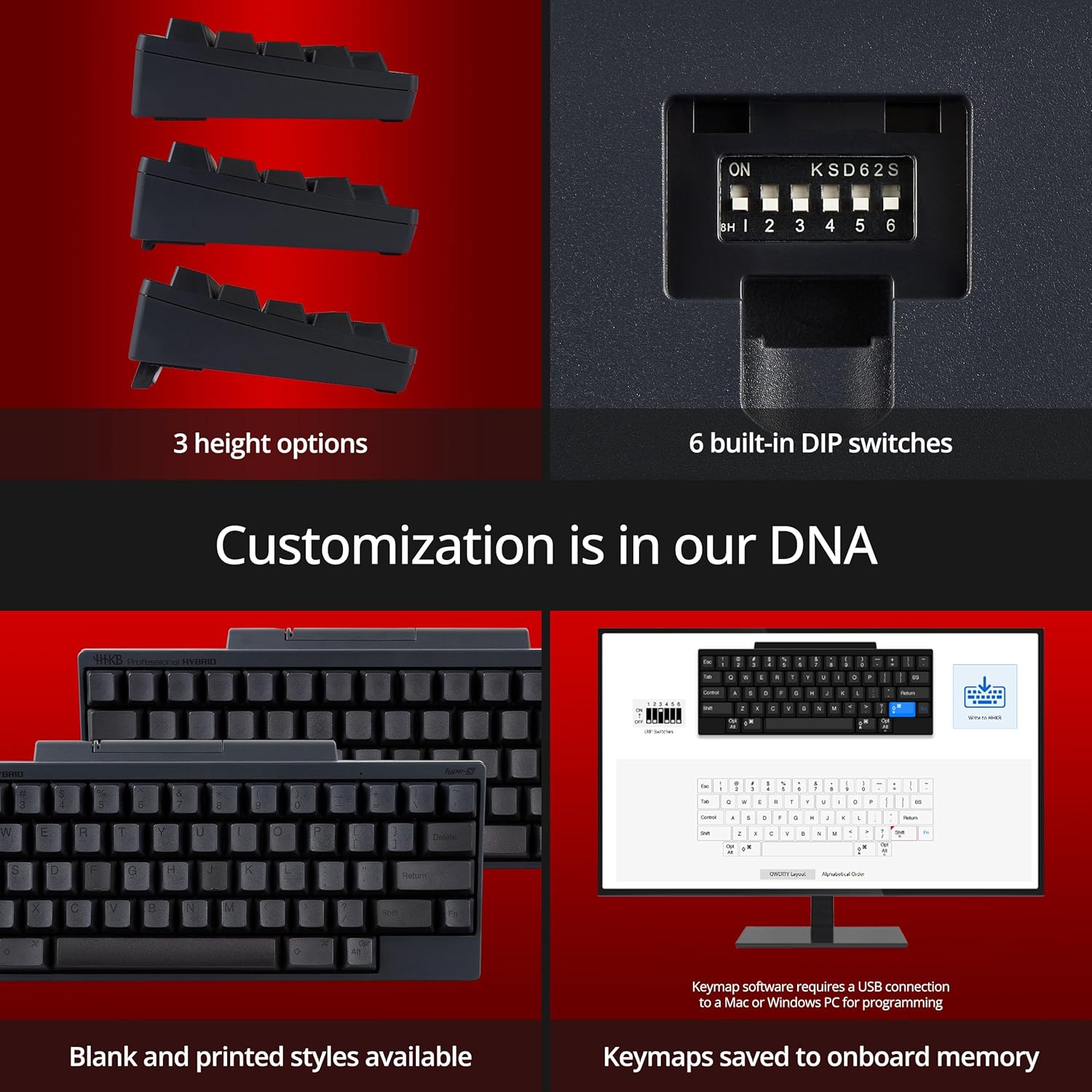
Keymap settings are saved in the keyboard itself, so a custom layout follows it from device to device. The product images show three typing height options, six DIP switches and a note that wireless use requires two AA batteries.
It held 4.4 out of 5 from about 100 ratings, the largest record of the three, sold by Amazon.com. Amazon’s AI summary says customers praise the typing feel and quiet operation, while connectivity and value get mixed reviews.
The item details give 11.6 x 4.7 x 1.6 inches and about 1.2 pounds. It suits people who switch between a laptop, a tablet and a desktop and want a quieter keyboard for shared spaces.
Check price on Amazon →Amazon affiliate link
HHKB Studio
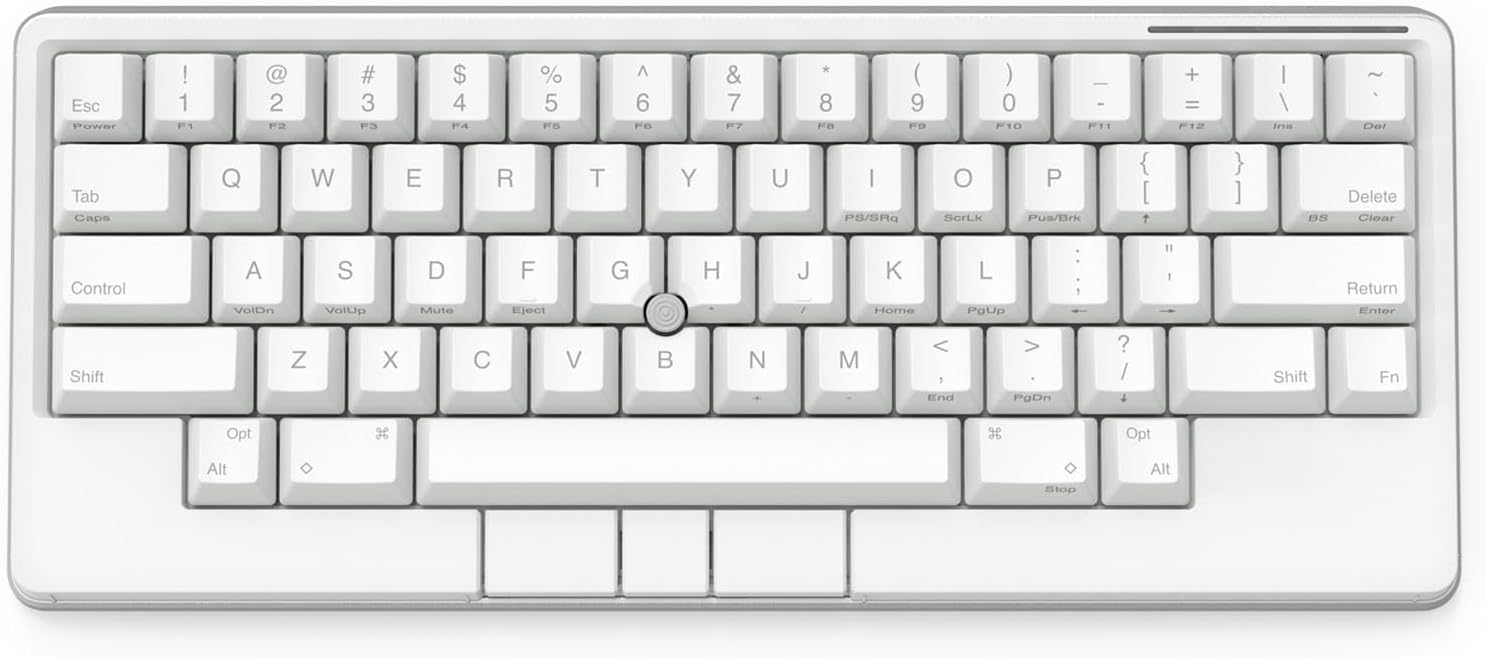
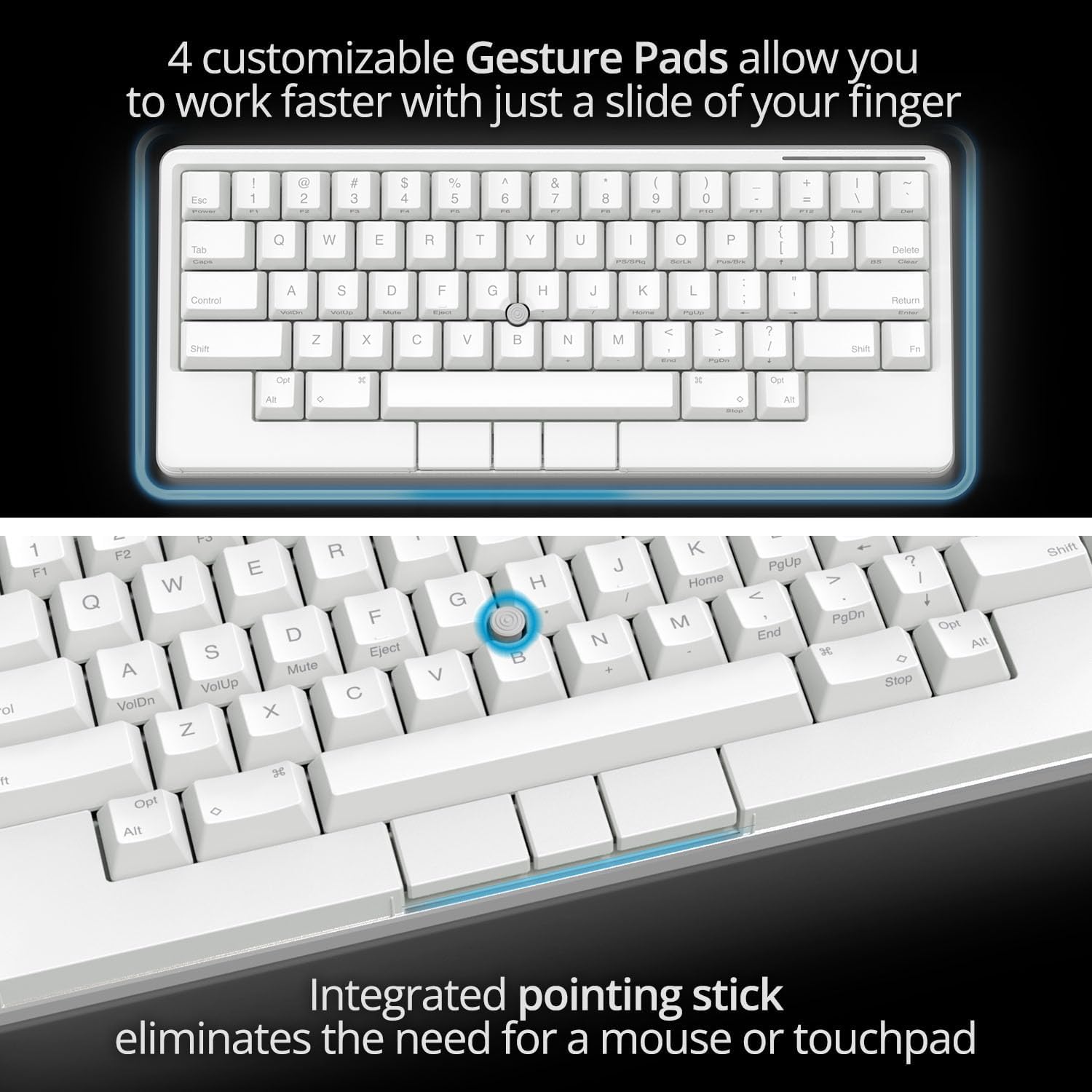
The Studio is the most ambitious HHKB. In the middle of the keys sits a pointing stick with three mouse buttons below the space bar, which the listing says removes the need for a separate mouse or touchpad.
Four touch-operated gesture pads on the front and sides handle actions such as switching windows. Keymaps for both the keys and the gesture pads are saved in the keyboard, with up to four profiles. It connects by Bluetooth to up to four devices or by USB-C.
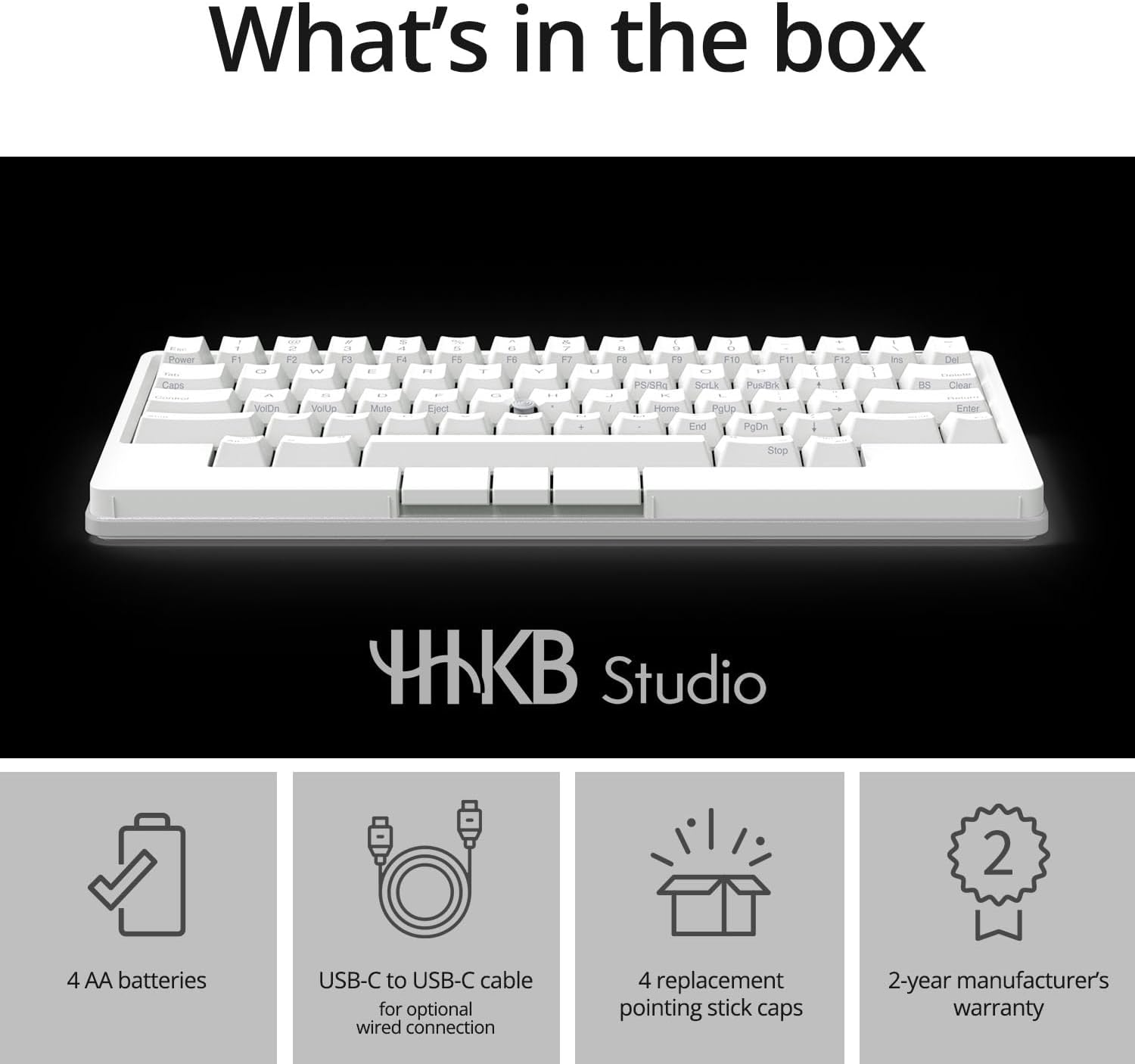
The switches are silent linear mechanical switches and the board is hot-swappable. The box contents shown in the images include four AA batteries, a USB-C cable and replacement caps for the pointing stick.
It held 3.8 out of 5 from about 40 ratings, the lowest of the three. Amazon’s AI summary says customers like the typing feel and the pointing stick but reports mixed views on quality, complaints about Bluetooth and negative feedback on price.
That rating is the honest downside. It suits people who want to keep their hands on the keyboard all day and are willing to accept a newer, less settled design.
Check price on Amazon →Amazon affiliate link
Compare the Three
| Professional Classic | Hybrid Type-S | Studio | |
|---|---|---|---|
| Switches | Topre | Silent Topre (Type-S) | Silent linear mechanical, hot-swap |
| Connection | USB-C | Bluetooth (4 devices) + USB-C | Bluetooth (4 devices) + USB-C |
| Pointing device | No | No | Pointing stick, 3 buttons, 4 gesture pads |
| Keys | 60 | 60 | 60 |
| Batteries | None (wired) | 2 x AA (images) | 4 x AA (included per images) |
| Size (per listing) | Not stated | 11.6 x 4.7 x 1.6 in | 12.1 x 5.2 x 1.6 in |
| Amazon rating | 4.5 (about 40) | 4.4 (about 100) | 3.8 (about 40) |
| Best fit | One desk, wired | Quiet, multi-device | No mouse |
For most people who want an HHKB today, the Hybrid Type-S is the pick: silent Topre switches, four Bluetooth devices and the largest rating record.
If you only ever type at one computer, the Professional Classic gives the same layout and Topre feel for less. The Studio is for those who specifically want the pointing stick and gesture pads.
Who Should Skip the HHKB
The HHKB is built around one layout. If you use the arrow keys constantly, work in spreadsheets with a number pad or rely on function keys for software shortcuts, every one of those actions moves to a Fn combination.
Some people adapt in a few days and never go back. Others find the extra key combinations slow them down. If you are unsure, a full-size or tenkeyless board with Topre switches, such as the Realforce covered in our keyboard comparison, keeps the switch feel without the layout change.
Gamers who need dedicated keys and per-key lighting will also find the HHKB range a poor fit, since none of these three models is designed around gaming features.
Buyer’s Considerations
The layout takes time. There are no dedicated arrow or function keys; they sit on a Fn layer. Buyer reviews of the Classic mention a learning curve.
Printed or blank. HHKB sells printed and blank keycap versions. All three listings here are printed.
US or Japanese layout. HHKB also sells Japanese-layout versions. Check the listing images for the US layout if that is what you want.
Warranty. The listing titles mention a 2-year advance exchange warranty. All three were sold by Amazon.com when we checked.
Prices. Prices change often and may display in another currency depending on your address, so check the listing before you buy.
Summary
The Professional Classic is the wired Topre HHKB in its simplest form.
The Hybrid Type-S adds silent switches and Bluetooth for four devices. The Studio swaps Topre for hot-swappable mechanical switches and adds a pointing stick and gesture pads.
Check the current price on each Amazon.com listing before ordering.
Check price on Amazon →Amazon affiliate link
FAQ
What is the difference between HHKB Hybrid and Hybrid Type-S?
Type-S uses silent Topre switches designed to reduce key noise. The standard Hybrid uses regular Topre switches. Both connect by Bluetooth and USB-C.
Does the HHKB Studio use Topre switches?
No. The Studio listing describes silent linear mechanical switches in a hot-swappable board.
Is the HHKB made in Japan?
The listings name PFU Limited, a Japanese company, as the manufacturer and product images for the Classic and Hybrid Type-S show a Made in Japan mark.
Does the HHKB have arrow keys?
Not as separate keys. Arrows and function keys are reached with the Fn key on the 60-key layout.
Can the HHKB work with a Mac and a PC?
Yes. DIP switches change the mode for Windows, macOS and other systems. The Hybrid Type-S and Studio can pair with up to four devices over Bluetooth. Check price on each Amazon.com listing linked above before ordering.